FlightDial
Live aircraft on a watch dial, exactly where they are in the sky.
FlightDial turns your wrist into a radar screen. Real aircraft, drawn on an analog dial at their true bearing and distance from you.
The dial turns with your compass, so a plane at 10 o'clock on screen is a plane at 10 o'clock in the sky. Look up and it is there. One crossing the centre of the dial is about to pass overhead, and your wrist taps before it does.
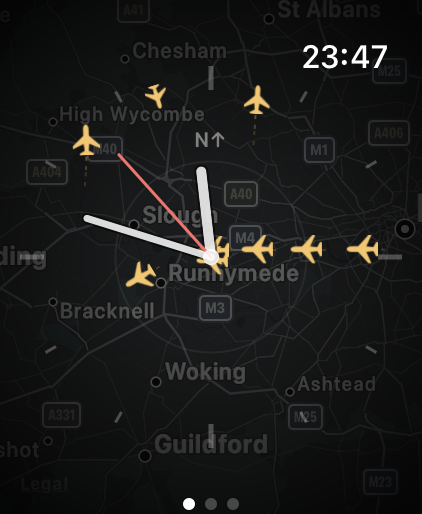
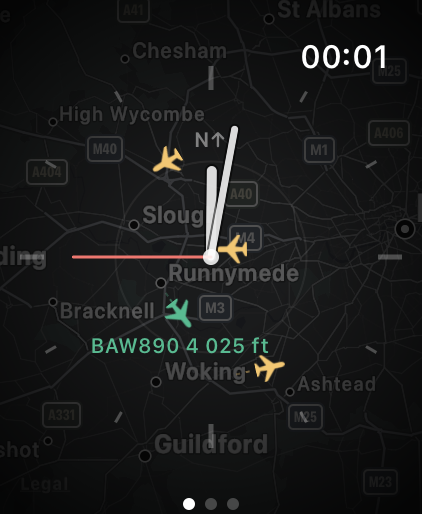
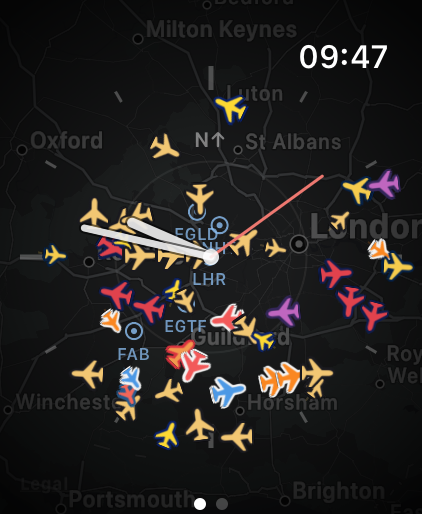
Aircraft positions in these screenshots: ADSB.lol community data, ODbL.
What it does
- Live traffic on a clean analog dial, over a terrain map
- Turn the Digital Crown to zoom from 5 to 30 nautical miles
- Nearby airports marked, so you can see where the traffic is headed
- Tap a plane for its callsign, registration, type, altitude, speed, distance and bearing
- A complication showing how many aircraft are near you
- A tap on the wrist when something is about to pass overhead
- Aircraft coloured by their airline, and sized by altitude, so an approach stands out from an overflight
Free, with nothing held back
FlightDial is free. There is no purchase, no subscription, no advert and no account, and no part of it is withheld.
It shows the sky above you, wherever you are. Your location is used on the watch to place the aircraft and to find the airports around you, and it is never sent to us.
Built for the watch
There is no iPhone app to install and no account to create. FlightDial runs entirely on the watch.
It collects nothing: no analytics, no tracking, no server of ours. Your location is used on the device to work out where aircraft are relative to you, and nothing about you is sent anywhere. It stops fetching entirely when the screen dims or you lower your wrist.
Requirements
Apple Watch running watchOS 10 or later, and an internet connection. The dial follows your compass on Apple Watch Series 5 and later; without a compass it stays north-up and everything else works as normal.
Aircraft data comes from adsb.lol community ADS-B data, under the ODbL licence, falling back to airplanes.live where adsb.lol has no coverage. Coverage is contributed by volunteers and is uneven in places, so FlightDial is for interest rather than operational use.